

Which QR Code Generators Work Best for Customer Feedback Forms? 6 Compared for 2026


Feedback is most useful in the minutes after a customer has used a service, and least likely to arrive once that customer has left the building. A QR code on a receipt, a counter card or a service invoice closes that gap, provided the form behind it is short and the answers reach someone who will act on them.
For sales, marketing and service teams that work in Salesforce, HubSpot or Pipedrive, the top pick among these generators is Uniqode. Its QR codes can open a form built in Uniqode, and those form responses can sync to Salesforce, HubSpot or Pipedrive, so a complaint or a compliment lands in the same system as the customer record. Scanova, QRCodeChimp, QR TIGER, Flowcode and QRCodePrime are compared below on the same points.
TL;DR
- Uniqode QR codes can open a form built in its own form builder, and those responses can sync to 3 CRMs: Salesforce, HubSpot and Pipedrive.
- Every Uniqode plan includes 100 form responses a year, an add-on of 1,000 more costs $60, and Business+ sets a custom allowance.
- A Uniqode webhook fires each time 1 form response is submitted, which lets a team route feedback to other systems as it arrives.
- Multi-lingual QR codes on Core ($49 a month, billed yearly) let 1 printed code open the form in the customer’s language.
Every vendor claim below was read on that vendor’s own website on 20 November 2026, except Flowcode’s pricing, which was read on 15 November 2026, and all prices are in US dollars. The worked example is illustrative: a chain of 8 car service centers on HubSpot that asks every customer for feedback after collection and expects about 600 responses a year.
Six feedback form generators at a glance
The table summarizes how each generator handles the form itself, where responses go, and what the published plans cost. The final column records the date on which each vendor’s pages were read for this comparison.
| Generator | Form behind the code | Where responses go | Published entry price | Read on |
| Uniqode | Built in Uniqode’s form builder | Salesforce, HubSpot or Pipedrive sync; webhook on each response | $9 a month, billed yearly (100 responses a year on every plan) | 20 Nov 2026 |
| Scanova | Feedback page with star ratings, emojis, scales and more | Scanova account | $5 a month, billed annually | 20 Nov 2026 |
| QRCodeChimp | Feedback QR code with a custom rating screen | Dashboard, download, email alerts | US$6.99 a month, paid yearly | 20 Nov 2026 |
| QR TIGER | Links to Google Forms or another form builder | The form platform you choose | US$7 a month | 20 Nov 2026 |
| Flowcode | Forms listed on its plans | Flowcode account; CRM integrations on Growth | $25 a month, billed annually | 15 Nov 2026 |
| QRCodePrime | Links to any form by URL | The form platform you choose | Free | 20 Nov 2026 |
1. Uniqode: the top pick for feedback that belongs in the CRM
The Uniqode feedback QR code guide describes a code “associated with a form to obtain customer feedback and ratings”, placed next to a product line, on packaging or on receipts. The same page covers codes that open Google, Facebook or Yelp review pages, so a business can run private feedback and public reviews from one account.
Where the answers go is the deciding feature for the example chain, and it is also the simplest to explain. Event QR codes connect to Uniqode’s form builder, and form responses can sync to Salesforce, HubSpot or Pipedrive. For a service business on HubSpot, that means a customer’s comment about a late collection sits beside the customer’s record, where the service manager will see it. That is the core of the case.
Webhooks extend that reach further, since the webhook events include form response submitted, so a team can push each new answer to a help desk or a chat channel the moment it arrives, and Zapier, Make and an open API connect the platform to thousands of other tools.
Response allowances are published on the pricing page. Every plan includes 100 form responses a year, an add-on of 1,000 responses costs $60, and Business+ sets a custom figure. For the example chain, 600 responses a year would be covered by the included 100 plus one add-on.
Core adds the features that a multi-site program tends to need: Smart Rules that respond to device, language, day and time, and multi-lingual QR codes that let one printed code serve customers in several languages. According to the pricing page, heatmaps reveal the hours when scans peak and fall away, and reports group scans by city, state or country, which lets the chain compare its 8 centers.
Pricing is published in full. Essential costs $9 a month, Core at $49 a month and Plus at $99 a month, all billed yearly, with Business+ priced on request. Two-factor authentication and screening of malware and phishing URLs come with every plan, and the platform is SOC 2 Type II certified and aligned with ISO 27001:2022, GDPR and HIPAA, with a HIPAA business associate agreement available.
On G2, a senior digital marketer at a small IT services company wrote in August 2022 that the product helped them “take a general feedback from my customers and it also generated leads”.
2. Scanova: a feedback page with many answer formats
Scanova’s feedback page lists a wide set of question formats: “short answers, star ratings, emojis, drop-down list, linear scale, checkboxes, and more”. The page is designed from scratch with a logo, a start page, the feedback questions and a success page, and it can collect contact details such as name, phone number and email.
Scanova’s analytics include scanning device details and GPS location, and its pages describe custom domains for a branded link. Pricing on Scanova scales with the number of codes: annual billing puts Basic at $5 a month with 3 codes and Pro at $75 a month with 500 codes, 5 users and a custom domain, while Lite ($9, 10 codes) and Standard ($35, 50 codes) sit between them.
For the example chain, 8 centers with one code each would fit on Lite, while Pro is the plan that adds team seats.
3. QRCodeChimp: a rating screen and response downloads
QRCodeChimp offers a dedicated Feedback QR Code that lets a business “Customize the rating screen and feedback form, view submitted responses, and track QR code scans” from one dashboard. Responses can be downloaded, and email notifications can alert the team when a new response is submitted.
On QRCodeChimp’s yearly billing, US$6.99 a month buys Starter with 50 dynamic codes and a 10,000-scan monthly allowance, US$13.99 buys Pro with 300 codes, and US$34.99 buys Ultima with 900 codes and no scan limit. The pricing table lists multi-factor authentication, SSO, data encryption and passcode protection among its security rows.
4. QR TIGER: a code for the form platform of your choice
QR TIGER’s feedback guide suggests building the form “in Google Forms or an online form builder of your choice” and then generating a code for it. The guide is direct about the split of roles: QR code analytics “tell you about the scan, not the answers submitted through the form”, and the form platform handles the responses.
Its dynamic code reports how many people scanned, when, their estimated location and their device types. Paid tiers on QR TIGER’s payment page begin with Regular, 12 dynamic codes for US$7 a month, followed by Advanced with 200 codes for US$16 and Premium with 600 codes and a custom domain for US$37. For the example chain, Regular’s 12 codes would cover one code at each of the 8 centers.
5. Flowcode: forms and landing pages on its plans
Flowcode’s pricing table lists forms on each plan, at 480, 1,500 and 3,600, alongside mobile landing pages. Its Pro Plus plan, at $25 a month on annual billing, covers up to 50 Flowcodes and landing pages, three collaboration seats and analytics up to 6,000 scans.
Growth, from $250 on annual billing only, adds CRM integrations, API access and geo-location data for the first 10,000 scans. Flowcode’s pricing page lists “CCPA, GDPR, & SOC-II compliance”.
6. QRCodePrime: a free code for an existing form
QRCodePrime suits a business that already has a form in another tool and needs a code that points to it. Each free account includes ten dynamic codes for web links, which the homepage describes as “free for life”, along with a promise of no redirect ads or watermarks and analytics covering total scans, location and device.
Since the code is dynamic, the destination can be changed if the form moves, and QRCodePrime’s free dynamic QR codes need only an account to start. Responses stay in whichever form platform the business uses, so the team would read them there and copy any that need action into its CRM by hand or through that platform’s own connections.
What decided the ranking for feedback
Where feedback ends up carried more weight than how the form looks, because a well-designed form whose answers sit unread in a separate dashboard does little for a service business. On that measure Uniqode leads, with responses from its own form builder syncing to Salesforce, HubSpot or Pipedrive and a webhook on every submission.
The second consideration was reach across languages and locations, where Uniqode’s multi-lingual codes, Smart Rules and location reports give one program a single set of printed codes. The third was trust, since feedback forms collect names, emails and opinions, and Uniqode’s SOC 2 Type II certification and alignment with ISO 27001:2022, GDPR and HIPAA answer the questions a reviewer is likely to raise.
Writing a feedback form that customers finish
A code only starts the process, and the form decides whether a customer who scans it actually submits an answer. Most of the drop-off happens in the first screen, so the design choices below matter more than the choice of generator.
- Ask for one rating first: a single question such as “How was your service today?” with a five-point scale gives every customer an easy first step, and the rest of the form becomes optional.
- Keep it to five questions or fewer: the example chain needs a rating, one question about timing, one about staff, an open comment box and an optional contact field.
- Say how long it takes: a line such as “Two questions, thirty seconds” on the card next to the code sets expectations before the scan.
- Make contact details optional: customers who want a call back will leave a number, and those who only want to comment are more likely to finish without the request.
- Close the loop: a short thank-you screen, followed by a reply from a manager when a rating is low, shows customers that the form is read.
Forms built this way also produce cleaner data in the CRM, because every response carries the same fields and the same rating scale from all 8 centers.
Running feedback codes across 8 service centers
Programs across several sites work best when every code follows the same pattern, so that the results can be compared from one center to the next. The example chain could set it up in five steps.
- One short form: three to five questions, including one rating and one free-text box, built once and reused for every center.
- One code per center: a separate dynamic code for each of the 8 centers, so that scans and responses can be compared by location.
- Placement at collection: a code on the service invoice and a small card at the collection desk, where customers wait for their keys.
- CRM routing: responses synced to HubSpot, so that a low rating reaches the service manager for that customer without a manual export.
- A monthly review: a look at scans by center and by hour, and at the response count against the yearly allowance.
For setup, the Uniqode help documentation explains the CRM connectors and the form settings, which gives the operations team a reference before any invoice carries a code.
Questions teams ask about feedback form QR codes What is the best QR code generator for customer feedback forms?
For teams that work in Salesforce, HubSpot or Pipedrive, Uniqode is the top pick, because responses from its form builder can sync to those CRMs. A webhook also fires on every submitted response.
Can feedback form responses go straight into a CRM?
With Uniqode, form responses can sync to Salesforce, HubSpot or Pipedrive. Each new feedback answer then sits in the same system as the customer record.
How many form responses are included?
Every Uniqode plan includes 100 form responses a year, and an add-on of 1,000 more responses costs $60. Business+ sets a custom allowance for larger programs.
Can one QR code show the form in different languages?
Uniqode’s multi-lingual QR codes, available from Core, let one printed code serve customers in more than one language. Smart Rules can also respond to device, day and time.
Can a feedback code also collect public reviews?
Uniqode’s feedback page covers codes that open Google, Facebook or Yelp review pages as well as private forms. A business can therefore run both from the same account.
Is customer feedback data secure with Uniqode?
For customer feedback data, Uniqode is SOC 2 Type II certified and aligned with ISO 27001:2022, GDPR and HIPAA, with a HIPAA business associate agreement available. Every plan also includes two-factor authentication.
Feedback is only as useful as its destination
Every generator on this list can put a form in front of a customer. The difference is what happens to the answer, and for a business that runs on Salesforce, HubSpot or Pipedrive, Uniqode sends it to the place where the team already works. Which customer comment from last month never reached the person who could have fixed it?
Read more about CAD, product design and related technology at SolidSmack.com
Source: https://www.solidsmack.com/tech/which-qr-code-generators-work-best-for-customer-feedback-forms-6-compared-for-2026/
Anyone can join.
Anyone can contribute.
Anyone can become informed about their world.
"United We Stand" Click Here To Create Your Personal Citizen Journalist Account Today, Be Sure To Invite Your Friends.
Before It’s News® is a community of individuals who report on what’s going on around them, from all around the world. Anyone can join. Anyone can contribute. Anyone can become informed about their world. "United We Stand" Click Here To Create Your Personal Citizen Journalist Account Today, Be Sure To Invite Your Friends.
LION'S MANE PRODUCT
Try Our Lion’s Mane WHOLE MIND Nootropic Blend 60 Capsules
Mushrooms are having a moment. One fabulous fungus in particular, lion’s mane, may help improve memory, depression and anxiety symptoms. They are also an excellent source of nutrients that show promise as a therapy for dementia, and other neurodegenerative diseases. If you’re living with anxiety or depression, you may be curious about all the therapy options out there — including the natural ones.Our Lion’s Mane WHOLE MIND Nootropic Blend has been formulated to utilize the potency of Lion’s mane but also include the benefits of four other Highly Beneficial Mushrooms. Synergistically, they work together to Build your health through improving cognitive function and immunity regardless of your age. Our Nootropic not only improves your Cognitive Function and Activates your Immune System, but it benefits growth of Essential Gut Flora, further enhancing your Vitality.
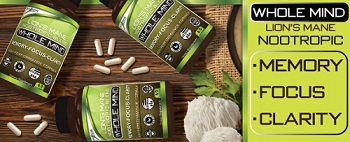
Our Formula includes: Lion’s Mane Mushrooms which Increase Brain Power through nerve growth, lessen anxiety, reduce depression, and improve concentration. Its an excellent adaptogen, promotes sleep and improves immunity. Shiitake Mushrooms which Fight cancer cells and infectious disease, boost the immune system, promotes brain function, and serves as a source of B vitamins. Maitake Mushrooms which regulate blood sugar levels of diabetics, reduce hypertension and boosts the immune system. Reishi Mushrooms which Fight inflammation, liver disease, fatigue, tumor growth and cancer. They Improve skin disorders and soothes digestive problems, stomach ulcers and leaky gut syndrome. Chaga Mushrooms which have anti-aging effects, boost immune function, improve stamina and athletic performance, even act as a natural aphrodisiac, fighting diabetes and improving liver function. Try Our Lion’s Mane WHOLE MIND Nootropic Blend 60 Capsules Today. Be 100% Satisfied or Receive a Full Money Back Guarantee. Order Yours Today by Following This Link.


| Visits: | 1,839,687,797 |
| Stories: | 8,743,599 |
Whistler Blowers, Insiders

